DubBooth — Choicer Voicer Dub Packs, Playable in Your Browser
Community Choicer Voicer packs in the ini format the desktop game uses, every one playable on DubBooth with one click. Nothing to install, no account, and your recordings stay on your device. Have packs of your own? Import them.
142 packs
Collections
Curated sets, compared and playable in one placeEvery Choicer Voicer pack
Newest first · 16 per pageNo pack matches that — try a character name, or a line you remember.
What is a Choicer Voicer pack?
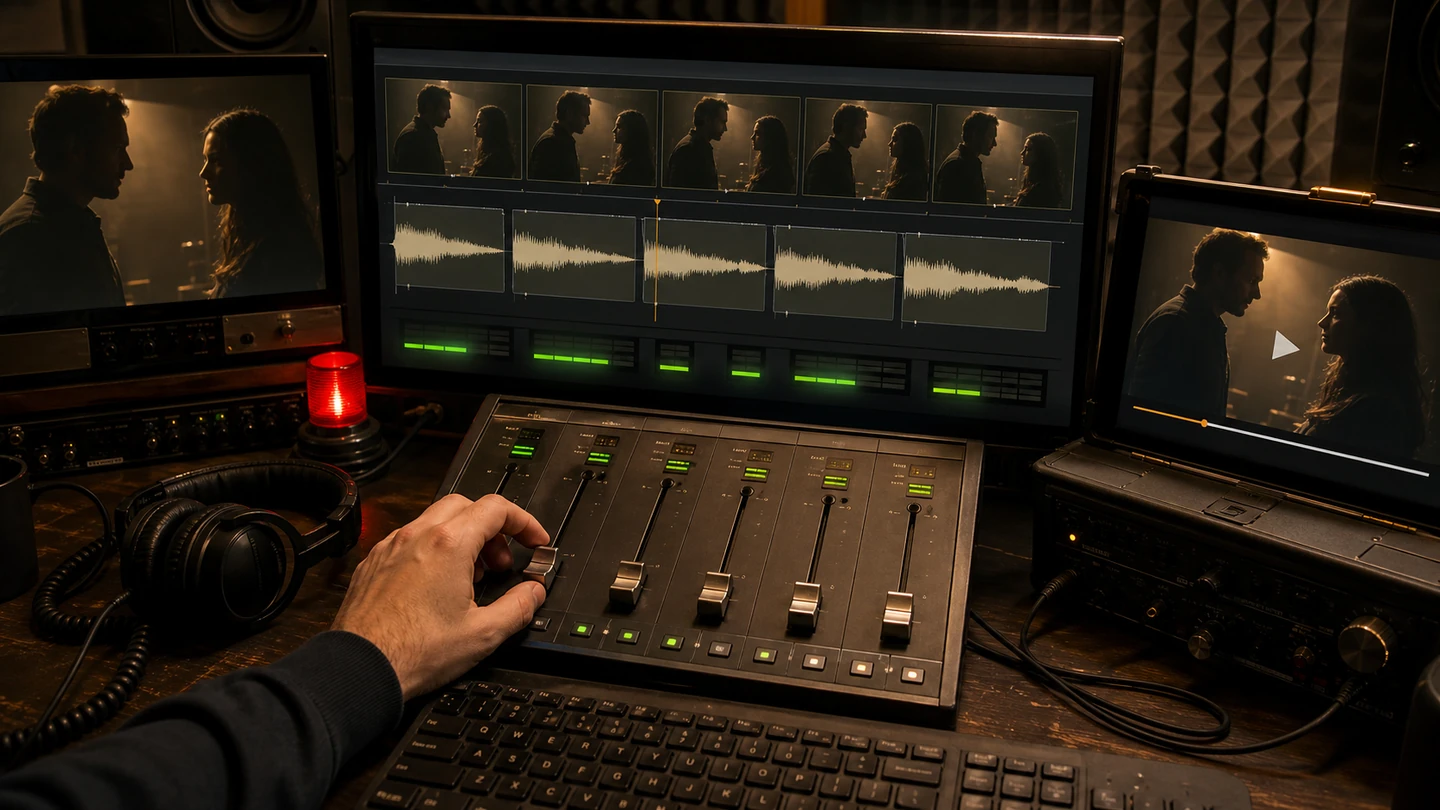
A scene, cut and timed, waiting for your voice.
inside every pack
- The video clip, cut to one scene
- Original audio for every line
- A timing file — line starts, characters, captions
A Choicer Voicer pack is a scene prepared for dubbing: the video clip, the original audio for every line, and a small timing file that says where each line starts, which character says it, and what the caption reads. When you press play on one of the packs above, the stage uses that timing to hand you the scene one line at a time — it plays the original, records your version, and scores the match. "Dub mode pack", "Choicer Voicer dub pack" and the common typo "dub mod pack" all describe this one thing.
Every pack on this page was made by a community creator, and that matters for what you get to play. These are not licensed studio clips; they are scenes people loved enough to cut, caption and time by hand — cartoon cold opens, anime fights, rap battles, and internet moments that happen to be perfect for a microphone. Each card names its creator. The packs use the common ini folder format, which is also what you can import yourself: drop a ZIP on the stage and it plays.
How these Choicer Voicer packs are chosen and prepared
-
01Unpacked and checked
Choicer Voicer packs are published as ZIP archives in a folder-and-ini format. Every candidate for the DubBooth library goes through the same pipeline: the archive is unpacked, its files verified, and the timing file parsed so the stage knows exactly where each line begins and who is speaking.
-
02Transcoded for the browser
The video inside each pack is transcoded to play in every modern browser, and each line's audio is extracted for the comparison waveform — the picture the stage draws your take against after every recording, with the gaps marked in yellow.
-
03Curated to be playable
Not every Choicer Voicer pack upstream makes the DubBooth cut. Compilation packs with hundreds of stacked lines are soundboards rather than scenes, very long scenes wait until the stage handles them well, and adult-tagged content stays out entirely. What remains is the playable core: real scenes, finishable in a sitting, every one under three minutes.
Choicer Voicer packs keep their original format here, so nothing is locked in. Packs you find elsewhere import straight into the stage, and a pack you make with the Choicer Voicer packs maker from your own video plays here and downloads as a ZIP you can take anywhere that reads it.
Import your own Choicer Voicer packs
Packs import into DubBooth in three steps. Open the stage on the home page and press Your Packs. Drop the ZIP on the panel (or pick it with the button). Press Play. The pack is unpacked in your browser, kept in your browser's storage, and never uploaded — nothing about your packs leaves your device.
Timed dub-pack layout
my-scene.zip
├── _pack_info.ini      title, icon, authors
├── icon.png            optional
├── video.mp4           the scene (mp4, webm or ogv)
├── 000.ini             caption = "..."  dub_characters = ["..."]  dub_timestamps = 0.5
├── 000.mp3             the line's audio — same number as its .ini
├── 001.ini
├── 001.ogg
└── ...
A ZIP with one top-level folder around all of that works too — the importer strips it. Our own Choicer Voicer packs maker writes exactly this layout when you download a pack "For The Choicer Voicer", so packs you make here and packs you download elsewhere behave the same.
Loose voice-pack layout
my-voices.zip
├── hello.wav
├── hello.png           optional same-stem still
├── another-clip.mp3
├── another-clip.jpg
├── _pack_filler_image.png   optional shared still
└── ...
Older packs_voice downloads are prompt collections rather than timed scenes. They
have audio files and optional same-stem images, but no Dub Mode timestamps. DubBooth
imports each audio file as one practice line, orders the files naturally, and places the
lines end-to-end. Same-stem metadata supplies a caption when present; otherwise the filename
is shown. The rack labels these packs as adapted voice packs so a prompt collection is
not mistaken for its own video scene.
The four rules the importer applies
- A timed dub line is an
.ini(or.txt) plus an audio file with the same stem.003.inipairs with003.ogg,003.wavor003.mp3. A loose voice pack may contain audio without line metadata. - Extensions are case-insensitive.
.MP3is.mp3; real packs ship both. - Anything starting with
_is not a line. That is what keeps_pack_info.iniout of the script. - Timed lines follow their timestamps; loose voice clips follow natural filename order. In a loose pack, line 2 comes before line 10.
The importer is more forgiving than the desktop game in one way: packs with
no _pack_info.ini are accepted, with the folder name as the title and a warning
badge, rather than refused.
Limits for imported Choicer Voicer packs
| What | Limit |
|---|---|
| ZIP size | 512 MB |
| Largest single file inside | 400 MB |
| Everything unpacked | 1.5 GB |
| Files in the ZIP | 2,000 |
| Folder depth | 3 |
| Lines in one pack | 500 |
| Compression ratio | 200:1 (a "zip bomb" is refused) |
If it is rejected
These are the exact messages the stage shows for packs it cannot load, and what each one means.
- No manifest.json, timed dub lines, or loose voice-pack audio found in this ZIP.
- The ZIP has no DubBooth manifest and no playable
.ogg,.wavor.mp3clips. Check that the content is not nested more than one wrapper folder deep and that the download is a pack rather than an installer or another archive format. - No dub lines found. A pack needs NN_name.ini files with matching audio.
- The
.inifiles are there but none has an audio file with the same stem, or the audio has an unexpected extension. Pair everyNNN.iniwithNNN.ogg,.wavor.mp3. - No audio clips found in this voice-pack ZIP.
- The archive was recognized as a loose voice pack but contains no playable audio after its wrapper folder was removed. Add at least one
.ogg,.wavor.mp3clip. - "file" is over 256 KB. Pack metadata must be plain text, not media.
- An
.inior.txtmetadata file is unexpectedly large. Remove embedded or renamed media from it, then try the ZIP again. - This pack has N lines; the stage supports up to 500.
- Soundboard-style packs with hundreds of stacked lines exceed what the stage will load. Split it into scenes.
- This browser cannot decode "file". Try Chrome, Edge or Firefox.
- The audio codec is not one your browser can play (Safari and some older browsers lack Ogg Vorbis). Re-encode the line audio to MP3 or WAV, or use a browser that decodes it.
- This ZIP is over 512 MB. Trim the pack and try again.
- Recompress the video or split the scene; the browser has far less headroom than a desktop install.
- This file could not be read as a ZIP archive.
- It is not a ZIP — a RAR or 7z, a download that did not finish, or a file renamed to
.zip. Re-download, or repack as a real ZIP. - This ZIP was rejected for safety (reason).
- One of the limits above was hit while unpacking: too many files, too deep, too large unpacked, or a compression ratio that looks like a zip bomb. The reason names which.
- manifest.json is not valid JSON (…)
- A DubBooth-format pack whose manifest is damaged. Re-download it from the pack maker.
- manifest.json failed validation: …
- A DubBooth-format pack from an older or edited manifest. The message names the field; re-download from the pack maker to get a current one.
- The ZIP is missing "file", which the manifest references.
- A DubBooth-format pack that lost a clip or the video on the way — repack it with every file the manifest lists.
Where imported packs live
In your browser's storage (IndexedDB), on this device only. Imported packs survive reloads and closing the tab; they do not sync between devices, and deleting one from Your Packs removes it completely. Nothing about imported packs — not the ZIP, not your recordings — is uploaded.
Which Choicer Voicer pack should you start with?
tip 01 · start short
Line count is session length. The badge on every pack tells you what you are signing up for — a 5-line scene is a two-minute session, a 28-line rap battle is a workout. Short packs also score better on a first try, because holding rhythm for a few seconds is a fairer test than holding it for ninety.
tip 02 · search by character
Pick by character, not by title. The search box above looks inside every pack, so typing a character's name or a line you remember finds the scene that contains it. The card line under each title tells you what the scene asks of you before you commit.
tip 03 · beyond the library
Want a scene we don't have? Import Choicer Voicer packs you already have, or turn any video on your device into a playable pack with the AI pack maker: every line found and timed, the music kept underneath, and nothing you did not choose to upload leaves your machine.
Choicer Voicer packs FAQ
- Are these Choicer Voicer packs free to play?
- Yes. Every pack on this page is free to play in the browser, scoring included, and a free export carries only a small DubBooth mark. The packs are free community work; each card credits its creator.
- Where do Choicer Voicer packs come from?
- The community publishes them on GameBanana, in the game's Dub Mode category: hundreds of ZIPs in the ini format. Every pack here started there and is credited to its creator; any ZIP in that format also imports straight into the stage.
- Why are there fewer Choicer Voicer packs here than on GameBanana?
- Because everything here is curated to be finishable in a browser session: no hour-long compilations, no soundboard packs with hundreds of stacked lines, no adult-tagged content. The library grows as new packs clear that bar, a few at a time.
- Can I add my own Choicer Voicer packs?
- Yes, two ways. Import Choicer Voicer packs from the stage's Your Packs panel — they stay on your device, in your browser's storage. Or make one from a video with the Choicer Voicer packs maker, which finds and times every line for you.
- Do Choicer Voicer packs contain the original dialogue?
- Yes — that is the game. Each pack keeps the original line audio so the DubBooth stage can play it to you, score your take against it, and draw both waveforms on one axis. Lines you never record keep the original voices in your exported dub.
- Does playing a pack here upload anything?
- No. Playing here keeps everything local: microphone audio is scored on your device and the exported dub is rendered in the browser and saved to disk. The one exception is deliberate: a challenge creator can choose to upload their own dub video for friends to see.
Playing Choicer Voicer packs online: what to expect
Loading a Choicer Voicer pack on DubBooth takes a click and a few seconds — the video streams while the first line's audio is prepared, and the stage opens on line one with the caption, the character, and the original waveform already in place. From there the loop is the same across all packs: replay the line, record your take, read the three scores, retry or move on. Your progress lives in the tab, and the last of the Choicer Voicer packs you opened becomes the one Play now resumes on the home page.
Every Choicer Voicer pack here is playable without an account — the only account this site has is the optional Google sign-in used to create or accept a challenge, and recordings stay on your device unless you, as a challenge creator, explicitly upload your dub video. On a phone, packs play on the same stage, fitted to the screen; on a laptop, the keyboard shortcuts (Space to replay, R to record) keep a forty-line scene moving.